
This short guide explains what it looks like when sound cuts out in a modern Volvo car and how to work through likely causes.
Common symptoms include brief loss of audio, distortion, or full silence across Bluetooth, USB, or radio sources. These issues can stem from software glitches, connectivity faults, wiring or fuse problems, speaker or amplifier failure, and antenna reception.
The goal is simple: restore steady sound from all media while avoiding needless parts swaps. This troubleshooting path starts with quick checks and phone or cable swaps, then moves to resets and software updates, isolates Bluetooth/USB/AUX causes, and finally inspects speakers, amps, fuses, wiring, and antenna reception.
Who this is for: U.S. Volvo drivers who have basic tools such as phone settings access, a known-good cable, and a habit of observing when the problem happens. If you see signs of electrical shorts or moisture, seek a professional—modern systems may need special diagnostics.
Key Takeaways
- Identify the symptom: brief cuts, distortion, or silence across sources.
- Start with simple checks: cables, phone settings, and a soft reset.
- Software, connectivity, and electrical faults can all cause the same symptom.
- Work from least to most invasive to avoid unnecessary repairs.
- Get professional help for wiring, amplifier, or moisture damage.
How to confirm intermittent audio drops and narrow down the trigger in your Volvo infotainment system
Begin with a focused check: note the source, timing, and any pattern to the loss of sound.
Common symptoms to log:
- Intermittent sound or brief cutouts.
- Distortion or garbled playback.
- Complete silence across all sources.
- Channel-specific dropouts (left/right or front/rear).
Use a simple “reproduce and record” method. Play music, navigation prompts, and a phone call. Note which source is active and the exact time the problem appears.
Quick verification checks matter. Confirm the in-vehicle volume, the phone or device volume, and any app-level controls. This avoids mistaking device settings for a system issue.
Switch inputs: move from Bluetooth to radio to USB. If the problem follows one input, the fault likely lies with that connection or device. If every input fails, the infotainment system or wiring is a stronger suspect.
Timing clues speed diagnosis. Failures after a cold start often point to software or module initialization. Failures mid-drive may indicate connection stability, power, or ground interruptions.
Channel checklist:
| Symptom | Likely area | Quick test |
|---|---|---|
| One-side silence | Speaker or wiring | Swap balance to isolate left/right |
| All sources silent | Head unit or power | Check fuses and perform soft reset |
| Drop only on Bluetooth | Phone pairing or Bluetooth module | Try a different phone or re-pair device |
Fixing intermittent audio drops in 2025 Volvo models.
Start with a gentle reboot of the infotainment to clear temporary glitches.
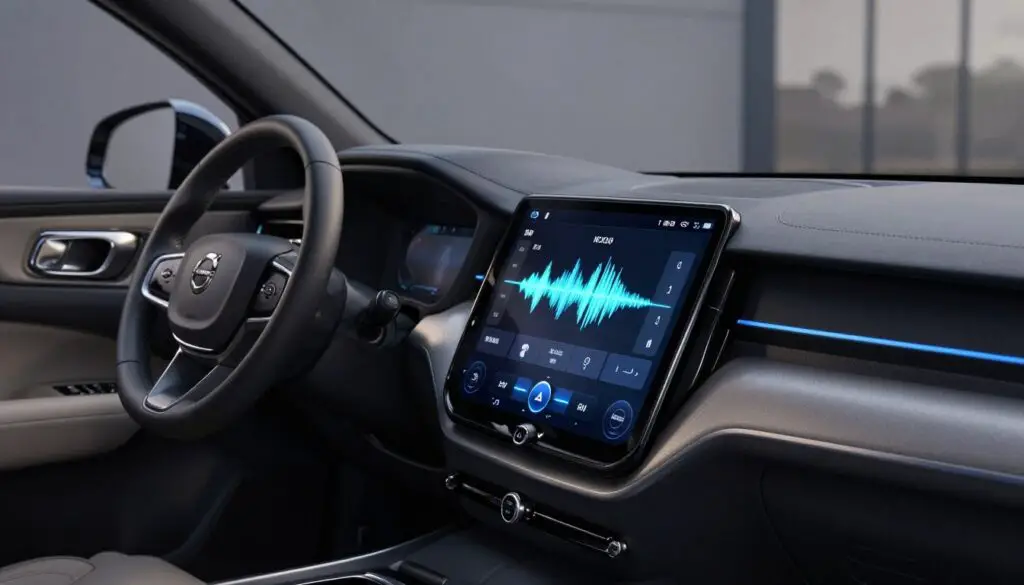
Restart steps that often clear temporary infotainment software glitches
Restart the head unit or perform a soft reset from settings. Reboot both the car and the phone for best results.
Sleep-mode reset: stop the car, lock it, and wait ~30 minutes so modules enter sleep. This can clear faults that persist after a quick reboot.
Software updates that improve connectivity and overall audio system performance
Keep vehicle software current. Updated firmware often fixes Bluetooth stability and improves overall audio system performance across sources.
Bluetooth troubleshooting for audio dropouts
Toggle Bluetooth on both the car and phone. Remove old pairings, then re-pair and test streaming and calls.
Use another phone to confirm whether the problem follows the device or the car’s Bluetooth module.
USB and AUX connection issues
Test a known-good cable and check for a snug port fit. Reduce any physical wiggle that can break connections and harm performance.
Head unit behavior clues
Freezing screens, skipped tracks, or failure to reconnect suggest the problem lies with the head unit or software rather than speakers.
| Action | Why | When to escalate |
|---|---|---|
| Soft reset / sleep-mode | Clears temporary software faults | If issue returns after restart |
| Update vehicle software | Improves connectivity and system stability | If updates fail or do not help |
| Re-pair Bluetooth / test USB | Isolates device vs car connections | If multiple inputs still fail |
When to seek professional help: If cuts persist across Bluetooth, USB, and radio after resets and updates, schedule diagnostics with a dealership or qualified Volvo Cars service. You can explore Volvo support or contact Volvo to book service today.
Hardware and electrical causes of audio problems: speakers, amplifier, fuses, and wiring
Unstable power or a poor ground can mimic random sound cutouts. You may hear static bursts, sudden shut-offs, or silence that returns without warning. These symptoms often point to the vehicle’s power delivery rather than the head unit.
Where wiring faults usually start
Look at door harnesses and under‑dash connectors first. Worn pins, chafed wires, or loose plugs create intermittent resistance that causes many issues.
How to check speakers and speaker damage
Use fade and balance to isolate a channel. Muffled output, cracking, or a dead speaker suggests physical damage or a bad connection rather than a software problem.
Amplifier, fuses, and moisture clues
An amplifier entering protection mode often signals a short or weak ground. Blown fuses or relays can leave the system on with no sound. Also inspect doors and under‑dash areas for moisture; corrosion on connectors creates unpredictable sound quality and failures.
When to seek pro service: Trim removal and electrical checks can be complex. For safe, model‑correct diagnosis—especially on hybrid or plug‑in hybrid vehicles—book Volvo service or a qualified shop.
Radio-specific audio drops: antenna checks and reception-related problems
When stations fade or static appears, the problem usually sits with reception rather than speakers.
Signs the antenna or reception is the culprit
Static, missing stations, or sudden loss of signal are classic signs the radio path is weak. If Bluetooth and USB stay stable while the radio cuts out, the issue likely lies with reception.
Quick radio A/B test to isolate the fault
- Move the vehicle to a different location and note if reception improves.
- Switch sources: if Bluetooth/USB remain steady, prioritize antenna checks.
- Try another vehicle or portable radio nearby to confirm local signal strength.
Where to inspect and what to look for
Antennas on modern volvo vehicles are often integrated into the body or rear window glass. That design keeps them hidden and vulnerable to cracks, paint repairs, or dirty glass.
| Symptom | Likely cause | Quick check |
|---|---|---|
| Static on stations | Poor antenna connection or weak signal | Clean window areas; check mast or base for damage |
| Some stations missing | Antenna element or grounding issue | Move location; test other radios nearby |
| Signal drops only on radio | Reception path fault | Compare Bluetooth/USB stability |
Practical steps: inspect visible antenna bases, clean glass near integrated elements, and remove obvious obstructions. If reception stays poor, the antenna module or coax may need professional testing.
“A clear signal path is often the simplest fix; hidden antenna damage shows up as selective station loss.”
If basic checks fail, contact service. Dealerships and authorized shops can test antenna circuits and run diagnostics. For scheduling or local service offers, see our radio troubleshooting checklist or explore offersvolvo pages for appointments.
Conclusion
Close this guide by turning repeatable symptoms into smart next steps.
Start by confirming the pattern: which source, what time, and whether the sound problem repeats. Follow the flow: verify the symptom, isolate by source and timing, try resets and software updates, then check connections and hardware.
Many times, the root cause is pairing history, software, or a marginal cable. That means you can often restore full performance without parts swaps.
Seek professional diagnostics if all sources fail after updates/resets, you find moisture or corrosion, the amplifier shows protection behavior, or fuses keep blowing. Contact Volvo Cars service for model‑specific testing.
Keep software current, use quality cables, and avoid extreme volume spikes to help preserve sound and reduce repeat problems over time.
FAQ
How can I confirm sound cutouts and narrow down what’s triggering them in my Volvo infotainment system?
Start by noting exactly when the problem happens—during Bluetooth streaming, USB playback, radio use, or after a cold start. Check volume on the head unit and connected device, switch media sources, and try a different phone or USB stick to isolate the source. Look for patterns such as connection loss when driving over bumps or when other electrical systems cycle. These steps help determine if the issue is source, software, or hardware related.
What common symptoms indicate a problem with the audio system?
Watch for partial channel dropouts, distortion, sudden silence, uneven volume between speakers, freezing of the head unit, and skipping tracks. Symptoms that appear only with one source (Bluetooth vs. USB vs. radio) point to a source or connectivity issue; problems across all sources suggest a head unit, amplifier, wiring, or speaker fault.
What quick checks should I perform before deeper troubleshooting?
Verify the head unit volume and device-level volume are up and not muted. Change the media source and test another phone or USB. Inspect cables for damage and ensure connectors fit snugly. Restart the infotainment system and your phone. These basic checks rule out simple causes and prevent unnecessary service visits.
What restart steps often clear temporary infotainment software glitches?
Soft reboot the infotainment by using the system menu reboot option or by holding the power/volume button if available. If that fails, perform a full vehicle power cycle: turn the car off, open and close a door, wait a few minutes, then restart. These actions resolve many transient software faults without tools.
Could a software update resolve sound cutouts?
Yes. Manufacturers periodically release firmware updates that improve connectivity, Bluetooth stability, and audio processing. Check with your Volvo dealer or the Volvo Cars app for available infotainment or head unit updates and have them installed if recommended.
How do I troubleshoot Bluetooth-related dropouts?
Turn Bluetooth off and on both in the car and on your device, remove old pairings from the vehicle, and then re-pair your phone. Ensure your phone’s OS and the car’s software are up to date. Test with a second phone to see if the issue repeats; if it doesn’t, the original phone may need network or Bluetooth settings adjusted.
What should I check for USB and AUX connection problems?
Inspect cables for frays, bends, or loose connectors and try a different cable. Confirm ports are free of debris and that the cable fits tightly. Wiggle the connector while audio plays—if sound cuts when pressure changes, the port or cable is likely faulty and should be cleaned or replaced.
What head unit behaviors indicate deeper issues?
Frequent freezing, failure to reconnect to devices automatically, random reboots, or persistent UI lag suggest the head unit software or hardware is failing. These symptoms often require dealer diagnostics or a software reflash to resolve.
What power and grounding issues can cause sudden sound loss?
Intermittent power to the head unit or amplifier, poor ground connections, or voltage drops when other systems engage can cause sudden silence or static. A technician will check battery voltage, accessory power feeds, and ground points to rule out electrical causes.
Where do loose wiring and worn connectors typically cause problems?
Common trouble spots include door harnesses (speaker wires), under-dash connectors behind the head unit, and amplifier plugs. Movement, temperature cycles, and moisture accelerate connector wear and can create intermittent contact that produces dropouts.
How can I identify damaged speakers or poor sound quality?
Listen for distortion, rattling, reduced bass, or a single speaker failing. Play test tones or music at low and medium volumes to isolate the affected speaker. Physical inspection of door panels and speaker cones can reveal tears, water damage, or loose mounts.
What do amplifier problems and protection mode look like?
An amplifier entering protection mode may mute outputs, cut channels, or produce distorted sound. Symptoms include sudden silence across multiple speakers or a single channel dropping when volume increases. Amplifier tests at a service center will confirm if the unit needs repair or replacement.
How do blown fuses or relays affect the audio system?
A blown fuse or a stuck relay can remove power to the head unit or amplifier, causing total audio loss. Check the vehicle’s fuse box for labeled audio or infotainment fuses and replace blown fuses with the correct rating. A recurring blown fuse indicates a deeper electrical fault that requires diagnostics.
Can moisture or water in doors cause sound interruptions?
Yes. Water ingress in doors or under the dash corrodes connectors and speaker coils, causing cutting, distortion, or complete failure. Inspect weather seals, speaker surrounds, and wiring grommets; address leaks and replace damaged components to restore reliable performance.
What signs point to antenna or reception-related radio problems?
Static, fading reception, missing stations, or intermittent AM/FM signals usually indicate antenna issues or poor reception. If these problems occur only with radio and not with Bluetooth or USB, antenna inspection is a logical next step.
Where are Volvo antennas typically located and what should I inspect?
Antennas may be on the roof (shark-fin), rear window, or integrated into the body. Inspect for visible damage, loose mounts, cracked shark-fin housings, or corroded connectors. Also check antenna cable routing for kinks or water intrusion that would degrade signal quality.
When should I contact a Volvo dealer or certified shop?
If basic checks, reboots, and software updates don’t stop the issue, or if you see electrical symptoms like blown fuses or persistent head unit failures, schedule dealer diagnostics. Certified technicians can run factory-level tests, update firmware, and replace hardware such as amplifiers, speakers, or head units under warranty when applicable.