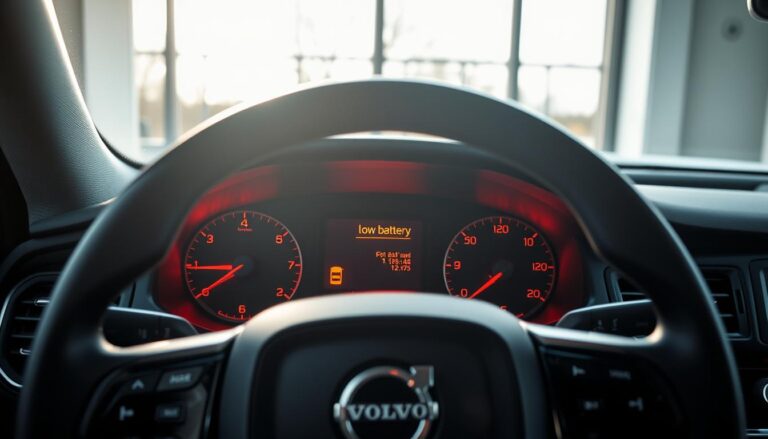

Windscreen sensor blocked messages can startle any driver. Paulj1 shared a classic case where the driver information display showed “Windscreen Sensor Blocked” and the owner manual gave limited guidance.
The message often appears while you are driving and raises questions about safety systems. Many owners see the prompt See Owner Manual and feel unsure what steps to follow.
Consulting the owner manual is an important first step. The manual helps you learn if the issue is a short-lived glitch or a sign that the car needs attention from a technician.
Understanding the link between the car and its safety sensors gives drivers more confidence. This article presents clear, practical guidance for decoding the message and deciding when professional help is needed.
Key Takeaways
- The driver display may show a windscreen warning that requires checking the manual.
- See owner manual prompts point you to official guidance for that specific message.
- Owners often report intermittent warnings that can be confusing.
- Reviewing the owner manual helps determine if the issue is temporary.
- Persistent warnings usually mean professional inspection is advisable.
Understanding the Volvo Sensor Blocked Message
An alert that the front camera and radar are compromised means some systems won’t work properly.
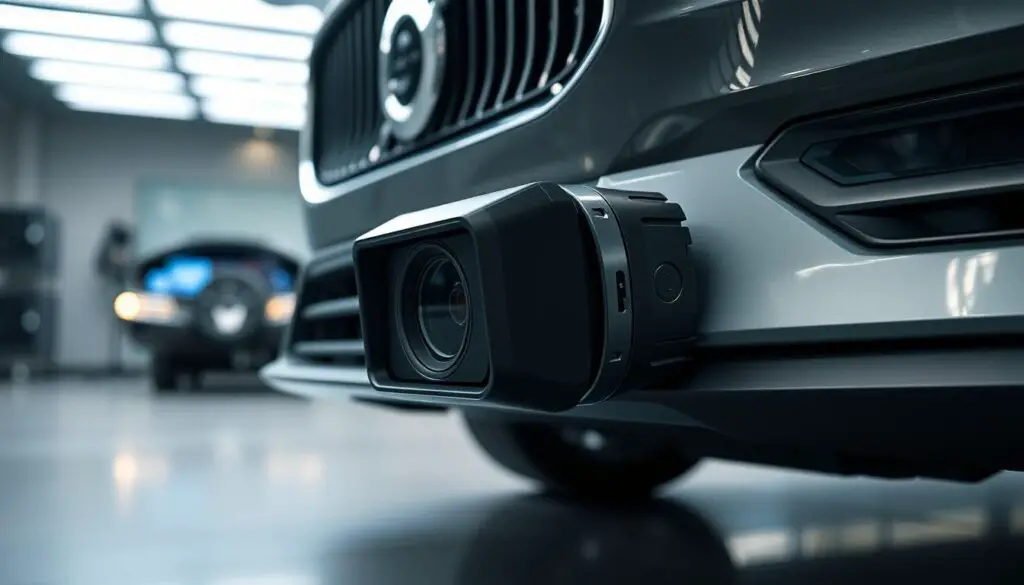
The front camera radar unit is a sophisticated component that helps the vehicle detect vehicles and manage speed on the road.
When snow, ice, dirt, or other debris covers the windscreen near the detector, radar-based functions may display a sensor blocked symbol. That symbol means the camera visibility is affected and signals are unreliable.
Adaptive cruise control and cruise control depend on the radar unit and camera radar for safe operation. If the engine is running and the car finds an obstruction, some functions will disable automatically to protect the driver.
- Clear the front windscreen area around the camera and radar unit.
- Allow the camera radar to receive clean signals before resuming radar-based functions.
- See owner manual for model-specific guidance and safety notes.
| Component | What It Detects | Common Obstructions | Effect on Driving Aids |
|---|---|---|---|
| Front camera | Road markings, vehicles, pedestrians | Ice, dirt, glare | Lane assist, camera radar warnings |
| Radar unit | Distance to vehicles, relative speed | Snow, mud, heavy rain | Adaptive cruise, collision alerts |
| Combined system | Signals fusion for safe speed control | Obstructed windscreen surface | Disables radar-based functions until clear |
For deeper troubleshooting and model-specific issues, consult a reliable radar and camera troubleshooting guide or your owner manual.
How to fix “Sensor Blocked” error on my Volvo ?
If the driver display flags the detection system, start with a short visual inspection of the front glass. A quick check often reveals snow, dirt, or moisture near the camera that causes the message.
Immediate Actions
Clear the windscreen around the camera and radar unit. Remove ice, debris, or road grime gently with a soft cloth.
Restart the engine if adaptive cruise control or cruise control stops working. Many owners report that a simple restart resets temporary faults.
Resetting the System
If the message returns after cleaning and a restart, software inside the camera radar may need attention. Crest Volvo applied updates on some used vehicles that fixed persistent issues.
- Clean camera and radar unit carefully, then test driving aids.
- If sluggish response continues, visit a Volvo workshop recommended by the manufacturer.
- Professional technicians can run a full reset and calibration of the radar unit and camera.
| Step | When | Result |
|---|---|---|
| Visual clean | At first sighting | Restores camera signals |
| Engine restart | If functions fail | Clears temporary message |
| Workshop reset | Persistent message | Software reset and calibration |
Environmental Factors Affecting Radar and Camera Performance
When weather turns severe, the car’s detection and warning systems may struggle to read the road ahead.
Heavy rain, snow, and spray reduce visibility and interfere with radar signals. This can make the radar and camera blend less reliable for active systems.
Impact of Weather Conditions
Heavy rain scatters radar signals and blurs the camera view. Many drivers lose adaptive cruise control or cruise control in severe downpours.
Ice and ice snow on the windscreen block the front camera radar unit. Even thin frost can stop the radar unit from detecting vehicles properly.
- Road spray and mud mask signals camera sensors quickly.
- A dirty front camera greatly lowers system range and accuracy.
- Systems disable radar-based functions until clear for safety reasons.
| Condition | Effect on camera | Effect on radar |
|---|---|---|
| Heavy rain | Reduced visibility, blurred image | Signal scattering, reduced range |
| Snow / ice | Obstructed lens, false readings | Blocked reflections, loss of detection |
| Road grime | Short-term masking of surface | Weakened echo, inconsistent signals |
Physical Inspection of the Windscreen Sensor
Inspecting the top-center windscreen area gives quick clues about camera and radar visibility.
On the 2017 MY XC90 D5, the radar and wiper sensors sit in the black patch behind the rearview mirror. A visual check of that area is essential before driving in wet or cold conditions.
What to look for:
- Confirm no ice snow or debris trapped inside the housing of the front camera radar unit.
- Look for cracks or heavy rain residue on the windscreen surface that might hide the camera radar symbol.
- Verify the front camera and radar unit have an unobstructed, clean view of the road.
Regular cleaning of the windscreen keeps radar signals camera clear and helps the vehicle maintain safety functions. If the symbol remains after a careful inspection, professional calibration may be needed.
| Item | What to inspect | Expected result |
|---|---|---|
| Top-center black area | Housing, lens, wiper sensor | No debris, no trapped ice snow |
| Windscreen surface | Cracks, residue from heavy rain | Clear, streak-free surface for camera radar |
| Front camera radar unit | Inside housing visibility | Unobstructed view so radar signals work |
Software Updates and System Calibration
A recent software update has left some drivers needing professional calibration for their front detection systems.
Following a Sensus 2 update on May 24th, several owners reported recurring warnings and a decline in camera and radar response. Cleaning the windscreen often helps, but software changes can require a full recalibration of the camera radar unit.
When to Visit a Volvo Workshop
If the warning returns after cleaning and restarting the engine, schedule a visit with a volvo workshop recommended technician. A trained team can run diagnostics, apply any firmware patches, and perform an alignment of the radar unit and front camera.
Dealing with Persistent Errors
Persistent messages often mean the camera or radar needs a software update or calibration. Proper tuning at a workshop ensures radar signals camera are aligned and the driver assistance functions regain accurate range and speed tracking.
- May 24th Sensus 2 update triggered some cases needing calibration.
- Workshop technicians can update software and recalibrate the front camera radar unit.
- Calibration restores reliable signals in challenging conditions like ice snow.
Conclusion
A clear, stepwise check will usually reveal whether the warning is temporary or needs professional attention. Start with a careful inspection of the windscreen area near the camera and housing. Clean any ice, grime, or debris and restart the vehicle if needed.
If cleaning does not resolve the issue, take prompt action by booking service with an authorized workshop. Trained technicians can run diagnostics, apply firmware updates, and perform calibration that often restores normal function.
Keep the glass clean and stay current with software updates. Regular maintenance reduces the chance of recurring messages and helps the driver assistance systems deliver a reliable response on the road.
FAQ
What does the “Sensor blocked” message mean?
This alert indicates that the front camera or radar unit cannot detect clear signals. The car’s radar-based functions, like adaptive cruise control and collision mitigation, may be limited. The message often appears when the windscreen area around the camera or radar is obstructed by dirt, snow, ice, stickers, or heavy condensation.
What immediate actions should I take when the message appears?
Stop in a safe location and check the front windscreen area near the rearview mirror and the lower grille where the radar unit sits. Remove snow, ice, frost, road grime, or insects using a soft cloth and windshield washer fluid. Avoid touching the camera lens with abrasive materials. Restart the vehicle after clearing the area to see if the warning clears.
Can heavy rain or fog cause the message to appear?
Yes. Severe rain, heavy fog, or spray can interfere with radar and camera signals, triggering the alert. In such weather, radar-based systems may perform reduced detection or pause until conditions improve. Drive with extra caution and rely on manual speed control if adaptive features are limited.
How do I reset the system if the message persists after cleaning?
First switch the ignition off, wait about 30 seconds, then restart the car. If your Volvo has a central display, navigate to driver assistance settings and perform any available camera or radar system restart. If a simple restart doesn’t work, power-cycle the vehicle again or disconnect the 12V supply briefly—only if you are comfortable and it’s safe to do so.
Could a damaged windscreen cause this alert?
Yes. Chips, cracks, or improper glass replacement in the camera area can misalign sensors or block signals. Modern Volvo systems require precise windshield positioning and specific glass. If glass damage is near the camera, have the windscreen inspected and replaced with OEM-spec glass if needed.
When should I visit a Volvo workshop for help?
Contact a Volvo service center if the warning remains after cleaning and restarts, or if you notice recurring faults, misaligned calibration, or error symbols on the dash. A workshop can run diagnostics, update software, recalibrate the camera and radar unit, and replace faulty parts if required.
Are software updates important for radar and camera performance?
Yes. Volvo periodically releases software updates that improve detection algorithms and sensor compatibility. A certified workshop can check for updates and install them. Keeping firmware current reduces false warnings and enhances adaptive cruise and collision systems.
What might cause persistent errors even after cleaning and updates?
Persistent alerts can stem from sensor damage, internal moisture, loose connectors, or calibration drift after windscreen replacement. Electrical faults in the radar unit or front camera can also block signals. A trained technician should inspect wiring, perform diagnostics, and replace components as needed.
Are there preventive measures to avoid future alerts?
Park in sheltered areas when possible, remove snow and ice promptly, and avoid placing stickers or accessories near the camera. Use the correct windshield type when replacing glass, and clean the camera area regularly with non-abrasive cleaners. Schedule routine software checks during service visits.
Does the owner’s manual offer guidance for this message?
Yes. The Volvo owner’s manual lists recommended actions, symbol meanings, and safety precautions related to camera and radar warnings. Consult the manual for model-specific instructions and any cautions before attempting resets or power cycles.
Can dirt on the front grille affect the radar unit?
Yes. The radar unit often sits behind the lower grille and can be obstructed by mud, snow buildup, or road debris. Clean the grille gently and ensure no aftermarket accessories block the sensor’s field of view. Persistent obstruction requires professional inspection.