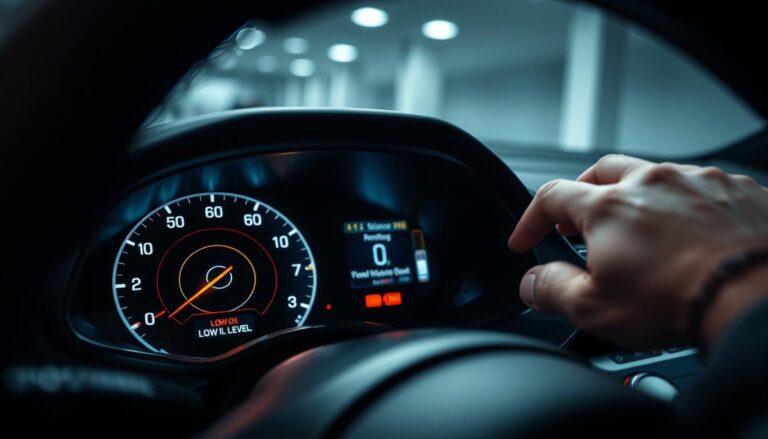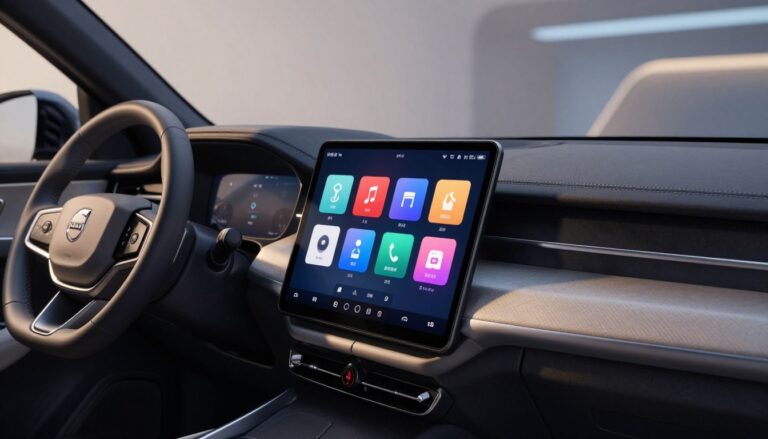

This message indicates a problem with the vehicle’s eCall or telematics health. In modern connected cars, that system links the vehicle to emergency services and cloud features. A fault can affect the ability to place an emergency call from the car and may disrupt other connected services in the United States.
Causes range from simple software glitches to network or low-voltage events, and in some cases a hardware fault. Some fixes are as easy as a system reset. Others need a dealer diagnostic and repair.
The guide that follows gives clear, immediate safety steps and at-home troubleshooting. It also explains when to contact Volvo support or schedule service. This article does not advise disabling safety systems. The priority is restoring reliable eCall and telematics function.
Key Takeaways
- Message meaning: an eCall or telematics fault may be present.
- Possible causes: software, network, battery events, or hardware.
- Safety impact: may limit emergency call capability and connected services.
- Next steps: follow safety steps, try simple resets, then seek dealer help if needed.
- Scope: the guide restores function; it does not suggest disabling safety features.
Why did my Volvo display “SOS call required” warning? Common causes in today’s Volvo connected services
Many owners first see this message after a brief communications fault. The vehicle’s TCAM (telematics/communications module) links LTE and GPS to the emergency and cloud services. A short carrier outage or a TCAM “hang” can flag the system even while driving feels normal.
TCAM glitches and network outages
Temporary LTE or GPS loss interrupts the handshake between telematics and infotainment. That interruption often triggers the message until connectivity returns.
Low-voltage events
A weak 12V battery, recent jump-starts, or voltage dips during short trips can throw telematics errors. Systems may need stable power or a soft restart to clear faults.
Software updates, SRS events, and hardware faults
An OTA update may restart subsystems and break the infotainment-to-telematics link briefly. After a collision or an airbag/SRS event, the emergency chain flags readiness checks.
- Antenna or TCAM hardware shows as repeated drops, loss of nav lock, or a constant dash message.
- Community reports on polestar forum and forum polestar threads often group these issues around low-voltage and post-update hiccups.
- User-facing impacts can include issues with remote app features, unlock car behavior, or situations where CarPlay works but connected services do not (care carplay anyways).
What to do right away when the warning appears
When that dashboard message appears, act as if an emergency feature may be unavailable until checked. Confirm whether the SOS button, connected services, and app functions respond. Assume emergency calling may be limited until the system clears.

Confirm affected features
Check the in-car emergency button for errors and open the vehicle app to see if status updates. If remote lock or live data do not refresh, treat those as signs of limited service.
Safe, at-home power-cycle steps
- Lock the car, wait 5–10 minutes, then unlock and recheck the message.
- Perform an infotainment reboot by pressing and holding the power/home buttons until the screen restarts; then recheck connectivity.
- If you sought help assistance last night or since last night and called polestar assistance last night, note what the agent suggested and whether the issue cleared after any guided reset.
“If you have an emergency in the United States, call 911 from a phone instead of relying on in-vehicle emergency features while the alert is present.”
Do not try repeated rapid start/stop cycles, disconnect the 12V battery, or force entry. If the message clears and stays off after a short drive, continue to monitor. If it returns, move to structured troubleshooting in the next section.
Step-by-step troubleshooting to clear the message and restore SOS/eCall
Work through this ordered flow so you can spot transient faults quickly and avoid unnecessary service visits.
Soft reset vs. full reset
Soft reset: reboot the infotainment by holding the power/home buttons until it restarts. This clears UI hangs and often restores telematics links.
Full reset: use only if the message returns after a soft reset. Let the vehicle sleep for 30 minutes or follow dealer-safe battery disconnect steps for persistent faults.
12V battery checks
Look for slow crank, recent start/stop disablement, or warning clusters after short trips. Clean terminals and ensure tight connections.
If uncertain, get a load test at an auto parts store; repeated low-voltage events can re-trigger TCAM faults.
Infotainment and connectivity
Verify cellular and GPS lock, test Bluetooth, and note if CarPlay still runs — care carplay anyways when telematics are offline.
Check the app login and whether app function unlock shows the car as offline; app function unlock failures mean remote features may be unavailable.
Key access and entry scenarios
If you tried blade key or have a blade key inside the vehicle, follow the manual entry steps. If there is neither physical key, use planned backup access or dealer assistance.
Interpret key activity one versus full key activity: lights or mirrors may react, but a missing authorization means the car also fails to start. Proceed methodically to avoid alarm triggers.
Success looks like: message stays cleared over several drives, app connectivity returns, and remote unlock car functions stabilize.
For extra guidance and owner patterns, consult threads on polestar forum and home forums polestar discussions, but prioritize documented steps and service when safety systems remain affected. For key fob issues see volvo key fob troubleshooting.
When to contact Volvo support or schedule service
If in-home resets don’t clear the message, contact the appropriate support channel or book service. Persistent faults, repeated daily returns, or issues after a collision require professional diagnostics. In the United States, choose the correct contact based on your vehicle brand and warranty coverage.
Called Polestar assistance vs. Volvo support: who to contact in the United States
If you called polestar assistance and your vehicle is a Polestar, that line can offer remote checks and guidance. If you called polestar assistance but the car is a Volvo, contact Volvo Cars support or your local Volvo retailer for dealer-level diagnostics.
What to document before you call
Prepare a short timeline: when the alert first appeared, whether it followed an OTA update, and any recent battery work or jump-starts.
Also note connectivity status at the time and whether remote app features failed. If you used help, record that you called polestar assistance last night and any steps they suggested.
What a retailer may test
- TCAM fault codes and module health logs
- Software reloads or targeted firmware updates
- Antenna continuity, connector inspection, and water intrusion checks
- Verification that eCall/SOS provisions are restored and registered with carriers
Alarm and safety considerations
If a guy warned would likely trigger the alarm during entry, avoid forced attempts. Repeated tries could probably set alarm cycles or immobilize the vehicle.
Ask support about disarm procedures—key fob, app unlock, or emergency key steps can stop repeated siren events and let technicians work safely.
Safety note: Emergency calling is a safety system. If alerts persist, schedule service even if driving feels normal.
Conclusion
Finish with a plain summary that points to the likely tech sources and what to do next.
Most issues trace to TCAM glitches, low 12V voltage events, post-update communication errors, or antenna and connectivity faults. Confirm safety impact first and follow a stepwise approach: soft power-cycles, battery checks, then verify app and cellular behavior.
If you still cannot unlock car reliably or remote services stay offline, treat it as an unresolved telematics fault and escalate to dealer service. Note if you were last night able to use features; intermittent fixes are not final.
Owner threads can help — search a forum polestar forum or polestar forum for patterns — but prioritize official diagnostics. If a night guy asked you to try steps, record them before calling.
If the alert persists or returns after troubleshooting, schedule service to restore full emergency-calling reliability and connected-service function.
FAQ
What does the “SOS Call Required” message mean in modern Volvo connected cars?
The message flags a problem with the vehicle’s emergency calling and telematics readiness (the eCall/SOS system). It can indicate a temporary communications glitch, a network outage, a telematics/TCAM module hang, a low-voltage event, or a hardware/antenna fault that affects the car’s ability to place emergency calls or provide connected services.
What common causes typically trigger this message?
Typical causes include TCAM/telematics module glitches or temporary carrier outages, weak 12V battery or recent jump-starts, software or OTA update handshakes failing, post-collision or SRS-related faults, and GPS/LTE antenna or connector issues. Owner community threads on Polestar and Volvo forums often point to low-voltage events, TCAM resets, and post-update hiccups as frequent triggers.
Why does this matter for drivers in the United States?
In the U.S., the alert may limit in-vehicle emergency calling and degrade connected services. If the system is not fully operational, drivers should rely on a cell phone to call 911 in an emergency and treat the vehicle’s SOS feature as unavailable until the issue is resolved.
What should I check immediately when the message appears?
Confirm whether the SOS button or in-car emergency prompts show errors and test whether connected app features and remote unlock respond. Treat the message as a potential safety limitation and, if needed, call 911 from a phone. Document the event time and any recent changes such as a software update, jump-start, or collision before proceeding with troubleshooting.
What safe at-home resets can I try first?
Start with simple steps: lock the car and wait several minutes, then unlock and check the dash. Perform a soft infotainment reboot using the model-appropriate press-and-hold procedure (generally available in the owner manual). Avoid disconnecting the 12V without guidance and don’t attempt repeated rapid start/stop cycles.
How do I decide between a soft reset and a full reset?
Use a soft reset for UI or temporary telematics hangs (infotainment reboot). Reserve a full reset or deeper sleep cycle for persistent warnings, repeated connectivity loss, or after failed soft resets. Full resets can involve longer vehicle sleep periods or dealer procedures—only perform them if you understand the implications for telematics and security systems.
Could the 12V battery cause the message, and what should I inspect?
Yes. Low voltage, recent jump-starts, and weak charging behavior can trigger TCAM faults. Inspect for corrosion or loose terminals, note slow cranking or start/stop disablement, and consider a battery load test at an auto parts store or dealer. Stable charging and a healthy battery reduce recurrence of telematics errors.
How do infotainment, CarPlay, and app connectivity relate to the issue?
Infotainment may continue to run CarPlay while the telematics module is offline. If the car shows “offline” in the mobile app, remote unlock and status updates can fail. Check navigation GPS lock, Bluetooth, and any cellular signal indicators. Successful CarPlay does not guarantee that emergency calling or remote services are functional.
What if the car won’t unlock or key access seems inconsistent?
Review key scenarios: try the blade key if the fob battery is low, verify that a spare is available, and note whether key activity triggers lights or locks without allowing start. If the blade key is inside the car or neither physical key is accessible, avoid forcing entry. Alarm settings can complicate attempts—document behavior and avoid repeated tries that could trigger immobilizers or sirens.
My remote app won’t unlock the car; is that related?
Yes. App-based unlock failures commonly accompany telematics outages. Verify app login, permissions, and whether the vehicle shows online. If the app reports the car as offline or remote unlock fails repeatedly, that bolsters the case for a TCAM or network issue rather than just a fob problem.
When should I contact Volvo support or schedule dealer service?
Schedule service if the message persists after safe resets, returns repeatedly, appears with other fault lights (especially SRS), follows a collision, or impacts remote/emergency functionality. In the U.S., contact Volvo Cars support or your Volvo retailer; if you previously called Polestar assistance for context, note what remote guidance you received and whether the message cleared temporarily.
What information should I have ready before calling support?
Document when the warning first appeared, recent OTA updates, battery replacement or jump-start history, whether remote functions failed, and any related symptoms (connectivity drops, app offline, inability to unlock). This checklist helps the retailer reproduce the issue and speeds diagnostics.
What will the dealer likely test or repair?
Retailers typically read TCAM fault codes, check module status, reload or update software, inspect antenna connections and wiring, and test eCall/SOS provisioning. They may also check for water intrusion, battery health, and SRS-related codes if applicable.
Are owner forums useful for this problem?
Owner communities like Polestar and Volvo forums can surface patterns—people report low-voltage events, TCAM resets, and post-update problems frequently. Use forum advice to compare symptoms, but prioritize official diagnostics for safety systems rather than unverified fixes. Community frustration phrases reflect emotion; focus on documented steps and escalation.
Can I safely delay service if the warning clears intermittently?
Intermittent clearing does not guarantee the system is reliable. If the SOS message returns, remote features stay unstable, or the vehicle shows related warnings, schedule service. Emergency calling is a safety function; professional diagnosis is the responsible option when reliability is in doubt.